
I Built a Digital Office With 12 AI Agents in 4 Days
 by Lucas Almeida
8 min read

I had too many AI agents and not enough control. One for writing prompts, one for front-end, one for contracts, each in its own tab, none of them aware of what the others had done. Every time I needed something from Elion Estúdio — a quote, a cash entry, a new project — I was the bus between them.
So I spent four days building Elion Lab: a desktop app, for my use only, where those agents have a desk, a job and a manager. In 71 commits and roughly 21,800 lines of TypeScript, it became the studio’s office. This post covers what worked, the measured numbers, and the five problems that cost me more time than everything else combined.
Why an office and not another chat
The difference between a chat and an office is shared state. In a chat, every conversation starts from zero and I repeat the context. In an office, the finance agent and the documents agent look at the same database: if Jarvis logs an entry, the monthly panel changes and the report comes out right, with me in the middle of nothing.
Making it look like an office — rather than an admin dashboard — was a practical choice. I needed to see at a glance who is busy, what is parked waiting for my approval and what is already done. A map does that better than a list.
What the app does
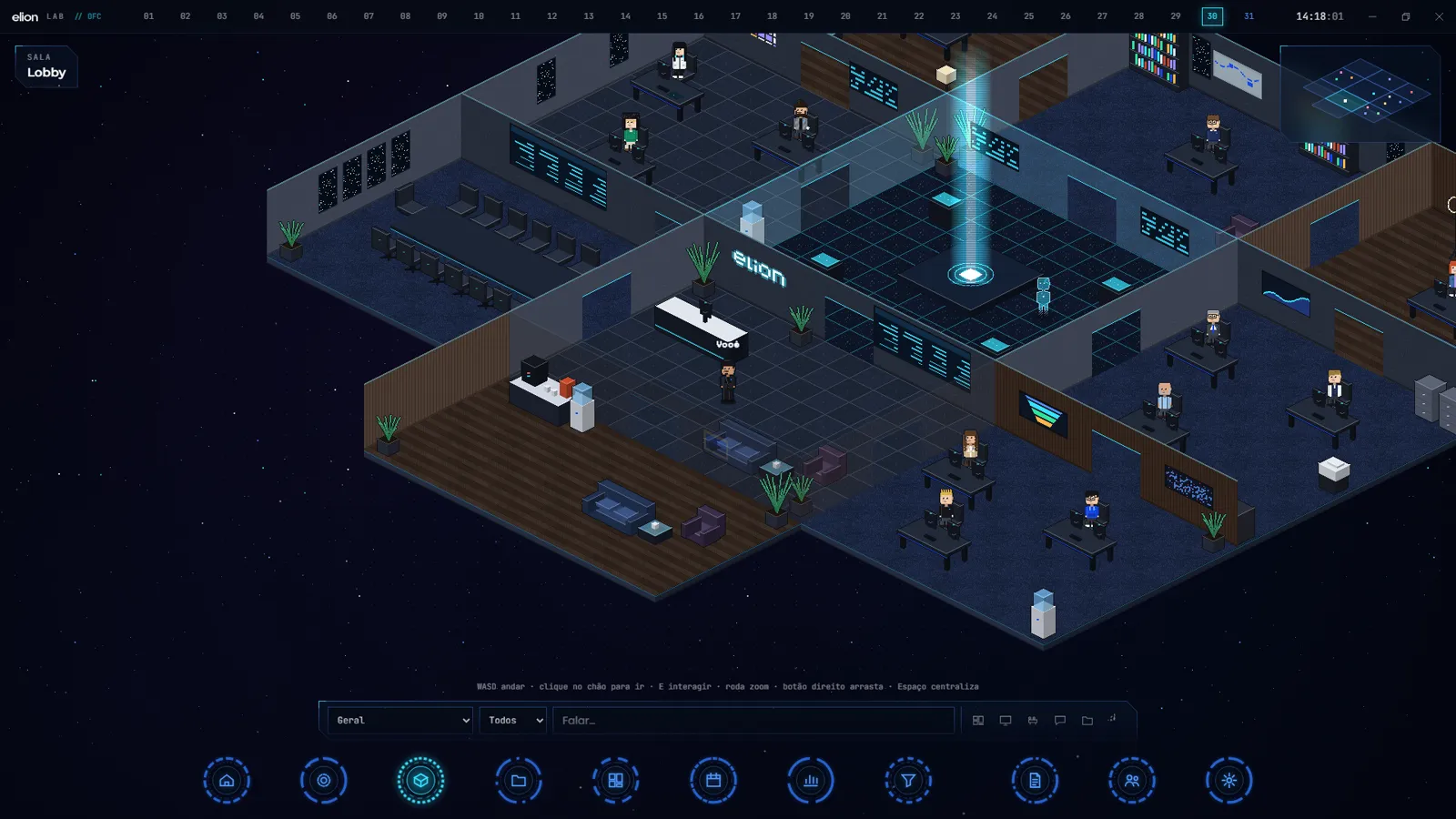
The Office is an isometric pixel-art workspace, in the aesthetic of isometric pixel-art games. Each of the 12 agents has an avatar, a desk and a role: Jarvis (management and QA), Théo (prompts), Lis (front-end), Edgar (back-end), Andreza (full-stack), Fred (privacy and policy), Mark (documents), JC (finance), Duda (social), Bella (support), Isa (prospecting) and Peter (first contact with leads). I walk my avatar around with WASD, click an agent to talk to them, and can call a meeting — the lines appear in speech bubbles and the minutes come out in the studio’s official template.
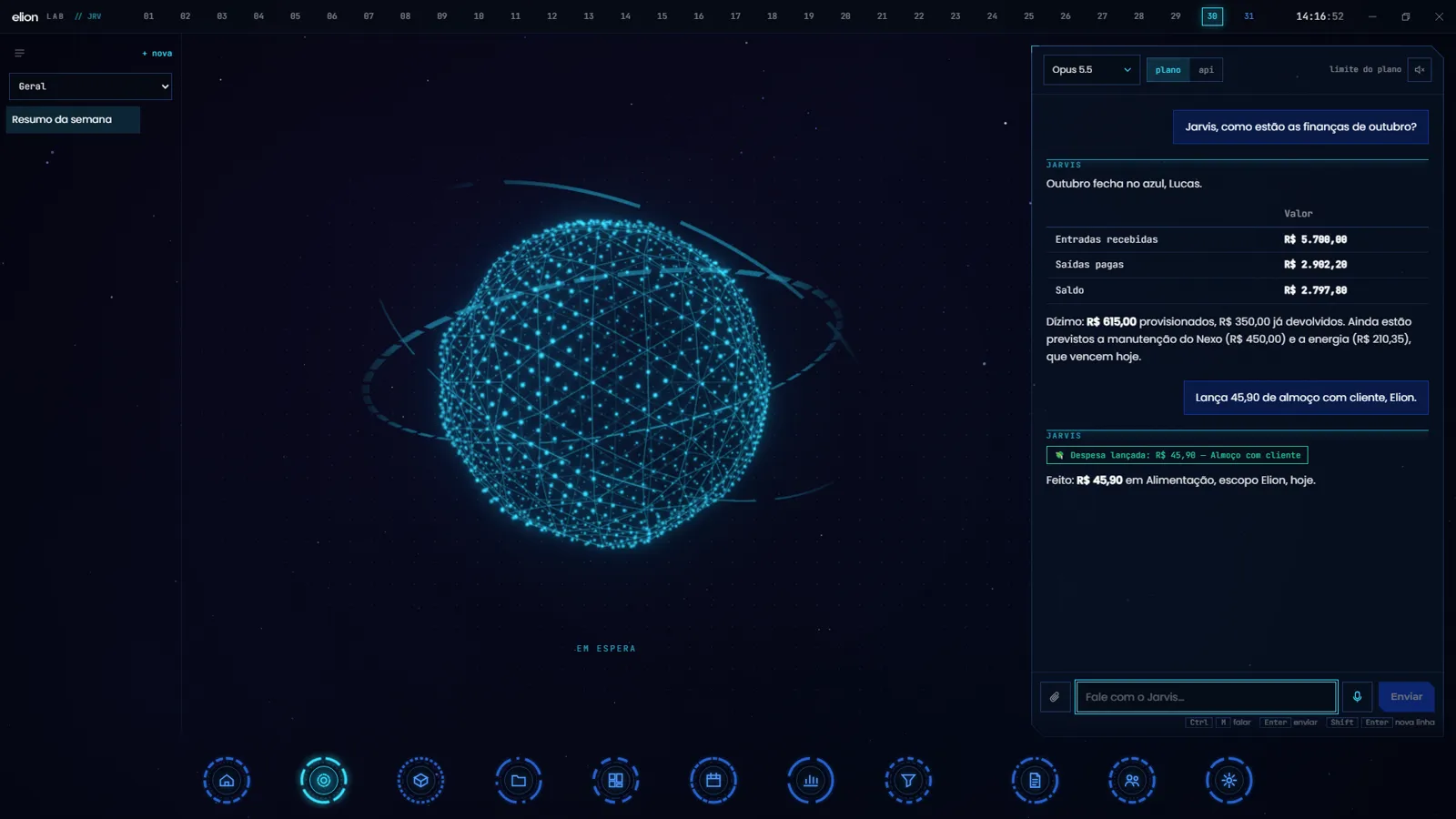
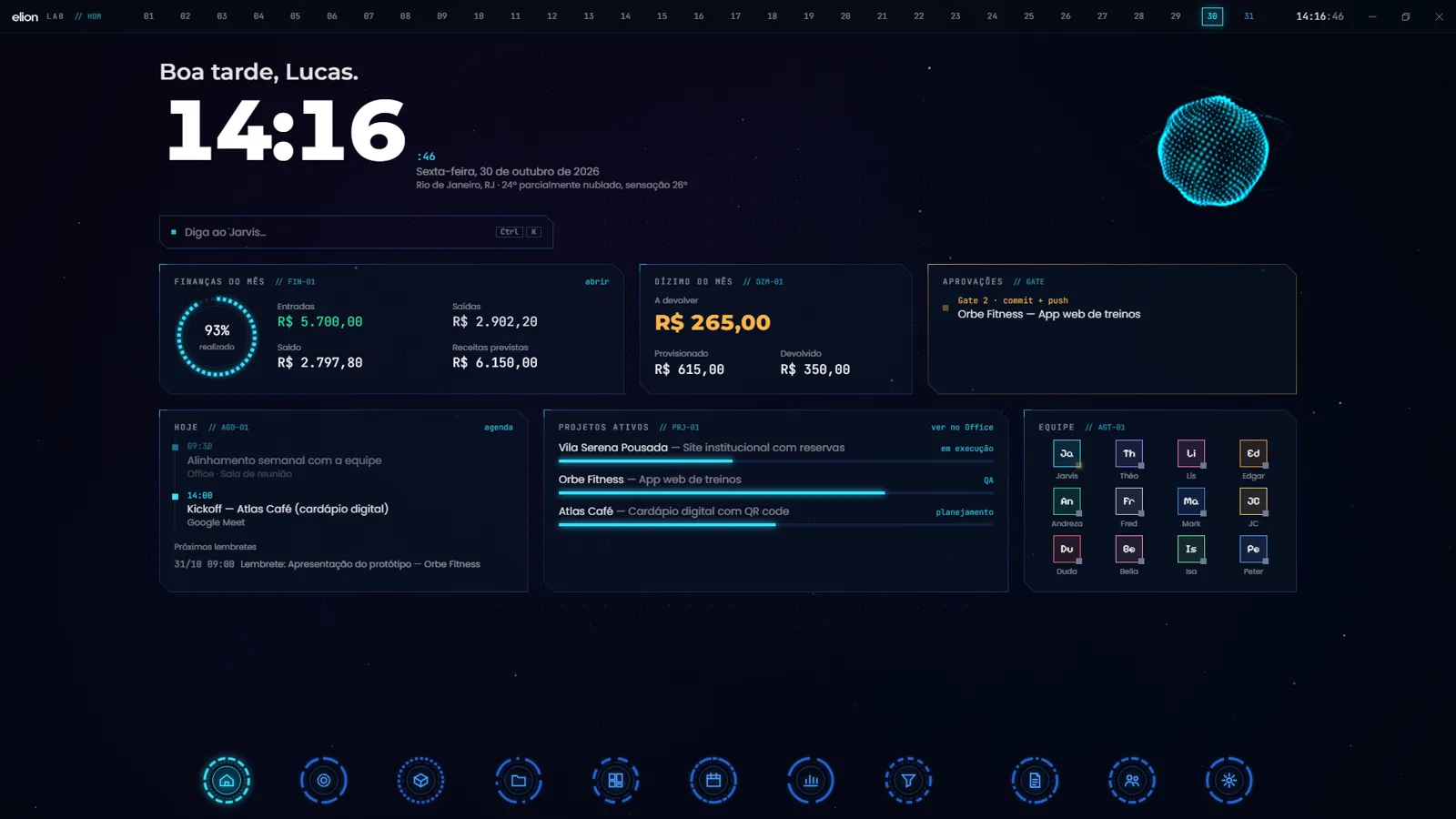
Jarvis is the manager. It has voice chat and a 3D hologram that reacts while it speaks. In practice almost everything goes through it: logging an expense, scheduling something, creating a document, playing a playlist, delegating a task to another agent. The Home screen gathers what I need on opening the app — clock, monthly finances, tithe, what is waiting for approval and the day’s schedule.
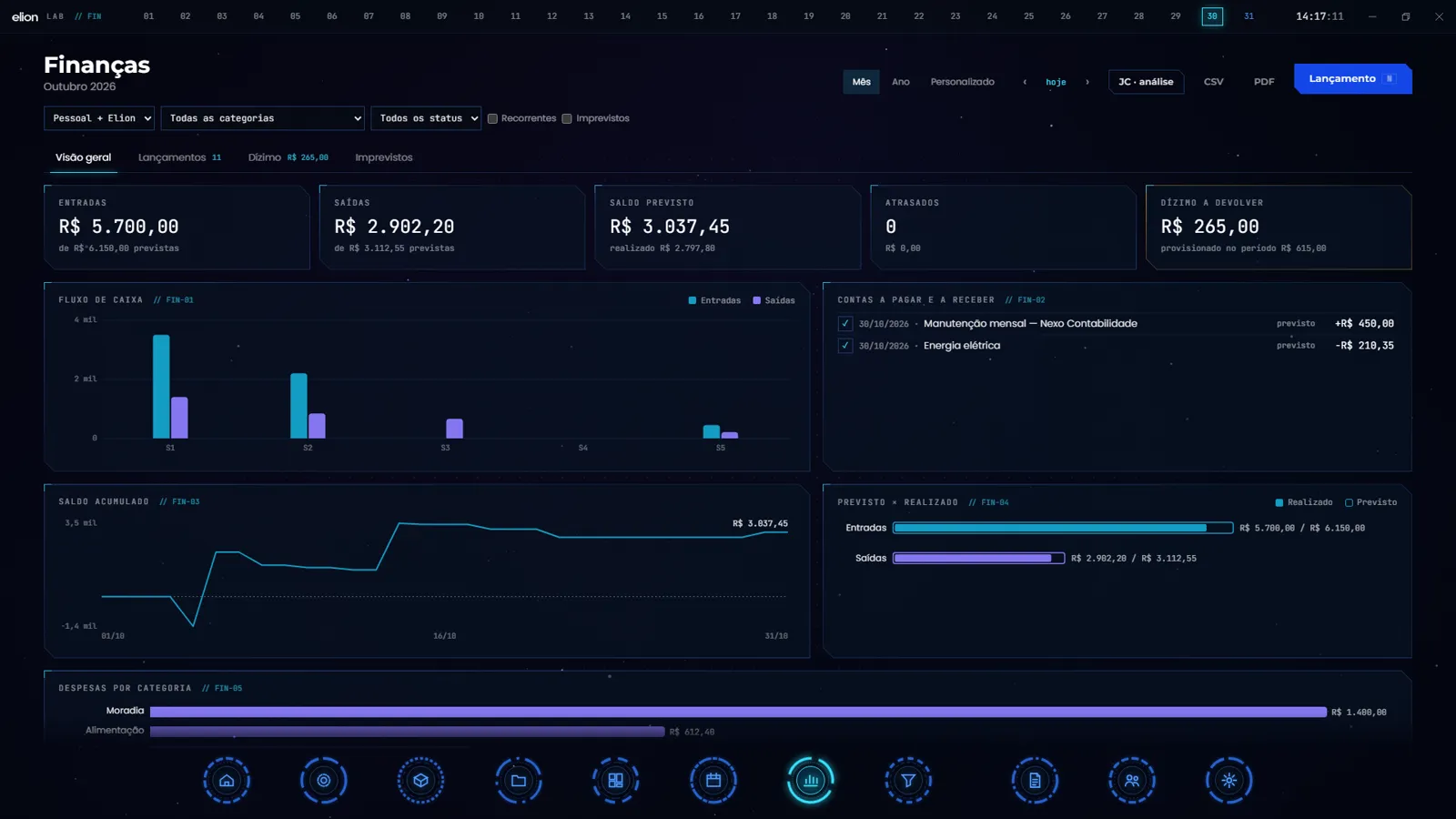
In Finance, two decisions I would recommend to anyone handling money in software. First: store values as whole cents, never as floats — floating point gets rounding wrong, and in money a one-cent error becomes a trust error. Second: the tithe is automatic, 10% of gross, always rounded up to the whole currency unit. An entry of R$ 100.10 produces R$ 11.00 to give, not R$ 10.01. Rounding up is my decision, not a technical limitation.
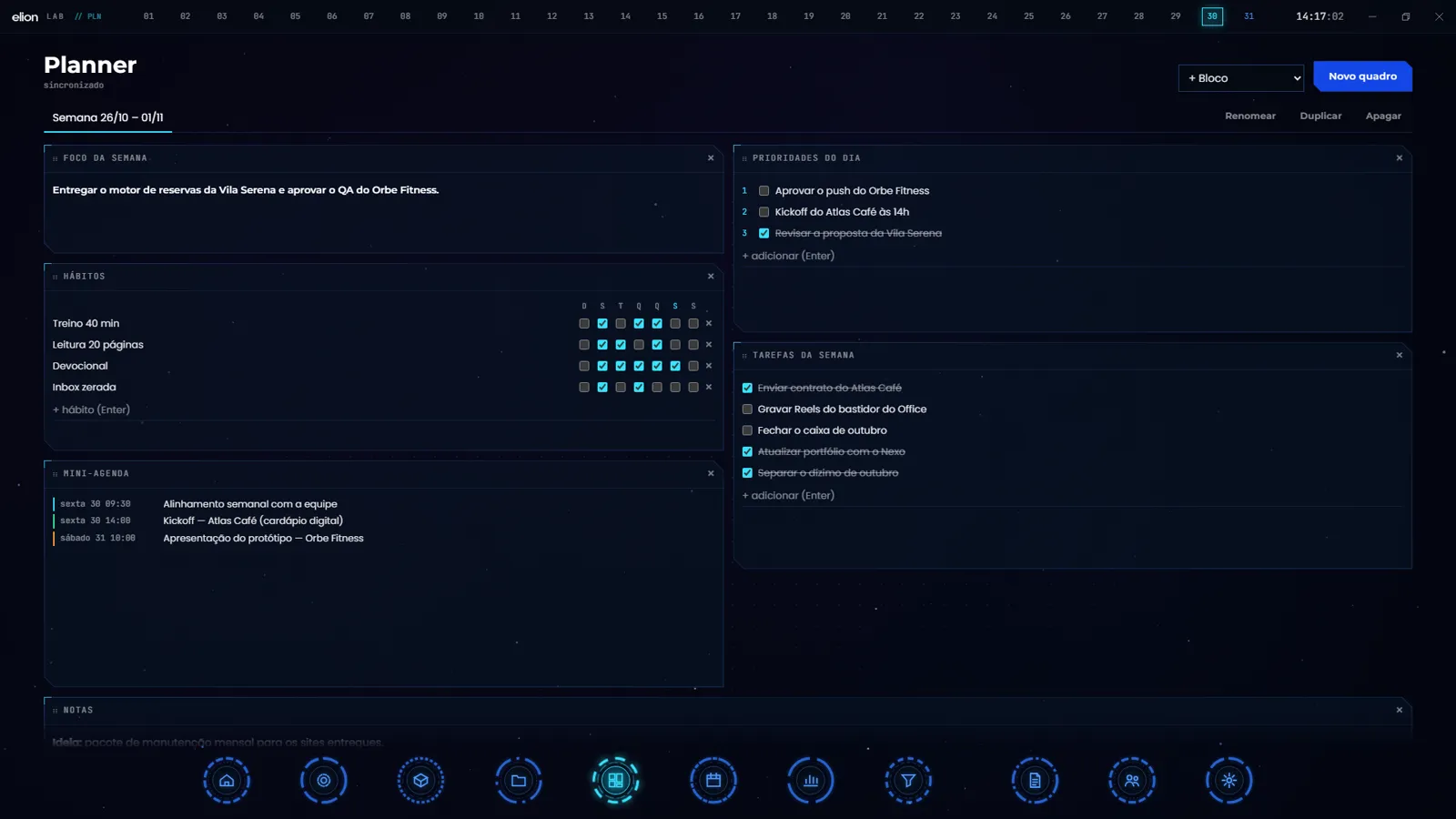
The Planner and the Calendar round out the set, in the same visual language. The Planner holds the week’s focus, priorities, habits and tasks; the Calendar holds appointments — and every appointment is created with a reminder one hour ahead, without me setting it.

Two gates: nothing reaches GitHub without my yes
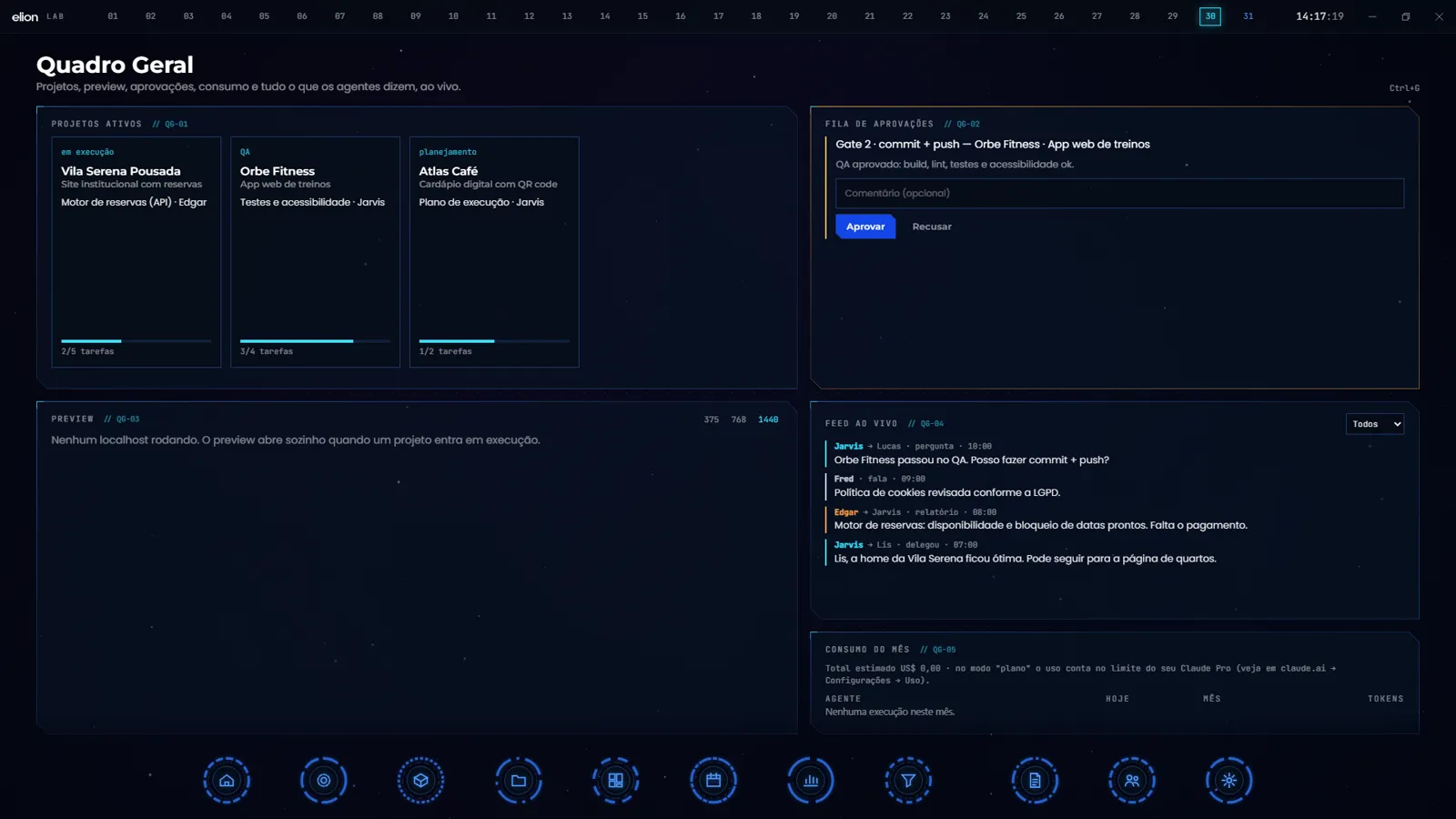
This is the part I would not give up. Client projects pass through two approval gates:
- Gate 1: I approve the plan before a single line of code.
- Gate 2: the agent asks “may I commit and push?” and waits. Nothing reaches GitHub without an answer from me.
On top of that, destructive commands are blocked by a permissions policy. An agent with terminal access and no guardrail is not productivity, it is exposure — and I found that out the hard way, as I describe below.
Jarvis on WhatsApp, with the PC switched off
The feature that changed my day the most is the easiest to explain: I send a WhatsApp message and Jarvis replies even with the computer switched off. I log a grocery expense, schedule something, send a voice note — it transcribes, understands and records.
That does not run in the app: it runs in a Supabase Edge Function wired to the Evolution API on a free VPS. The desktop app is just one of the doors in; the brain is in the cloud.
Email alerts came with it. Five studio and blog inboxes are read every two minutes, and anything that matters arrives on WhatsApp with a one-line summary. Spam and newsletters are filtered out. Between 10pm and 7am the system stays quiet and sends a single digest at seven — because a notification at 3am is not information, it is insomnia.
The stack and the numbers
No exotic frameworks. Electron with React 19 and TypeScript, packaged by electron-builder; PixiJS 8 draws the Office and Three.js renders the hologram; Supabase handles the database (Postgres with RLS), Edge Functions, secrets and scheduling; the Claude Agent SDK and Gemini drive the agents; Vitest and Playwright handle tests.
| Metric | Value |
|---|---|
| Build time | 4 days (October 27–30, 2026) |
| Commits | 71 |
| Code | ~21,800 lines of TypeScript |
| Tests | 259 unit + 12 end-to-end |
| Installed app launch | 1.07 s |
| Office | 143 fps, worst frame 28 ms |
| Accessibility | 0 WCAG A/AA violations across the 10 main screens |
| Installer | ~250 MB |
What broke along the way
1. Spotify said “ok” and played nothing. The API returned success and the desktop app stayed silent. I stopped fighting the endpoint and started opening the track through the spotify: link directly — which plays on its own.
2. Gemini hung, and the fix was reversing the order. The Flash model would sometimes stop responding until the timeout fired. I switched to calling Flash-Lite first, with Flash as the fallback. Jarvis’s response time dropped from 102 seconds to 2.8. That was not code optimization: it was picking the right model for the job.
3. The email library does not run in the cloud. Node’s most-used IMAP library will not deploy to Edge Functions. I wrote a minimal IMAP client — log in, read new messages, log out — straight over the TLS connection. Fewer features, but it works where it has to.
4. A test found a security hole of my own making. This is the one that taught me the most. When I gave Jarvis terminal access, I tested asking it to delete a folder outside the permitted area. The command went through. It arrived wrapped in powershell -Command "...", and my guardrail only inspected the first word of the command — it saw powershell, considered it ordinary and allowed it. I fixed it to inspect the whole command, including what sits inside the quotes. If you give an agent a terminal, test the guardrail by trying to defeat it; trusting the happy path is not testing.
5. When the Claude quota runs out. The same request continues on Gemini until the limit resets. The split is by responsibility: Gemini handles the daily routine — finances, calendar, music — while creating projects and commanding agents stays with Claude only.
What I would do differently
I would start with WhatsApp, not with the app. The feature I use most is the one that works with the computer off, and I only built it on day three. I spent the first hours making the Office look good — worth doing, but it could have come later.
And I would write the permissions policy before giving the agent a terminal, not after. The hole in item 4 existed because I shipped the capability first and thought about the guardrail second. With autonomous agents, that order has to be inverted.
If you want the background on why I built this at all, I wrote earlier about Elion Estúdio, the studio behind the project. And if the measuring-instead-of-guessing part is what interests you, two posts follow the same line: the on-page SEO checker I wrote and the real Search Console numbers for this blog.
Frequently asked questions
Can you use Claude as an agent inside your own app?
You can, with the Claude Agent SDK. That is what drives the agents here: each one has its own role and its own set of permitted tools, inside the app.
What does it cost to keep running?
Claude runs on the subscription I already had. WhatsApp runs on a free VPS, Supabase is on the free plan and Gemini has a free quota. The additional cost of the project so far has been my time.
Can the agents delete files or publish on their own?
No. A permissions policy blocks destructive commands, and commit and push depend on my explicit approval at Gate 2.
Does it work offline?
Not entirely. The agents and the database live in the cloud. The Planner writes locally first and syncs afterwards, so it survives a dropped connection.
The screenshots in this post use fictional data: clients, amounts and appointments were invented for publication.
At DigitalRadar, I write about what I build with the numbers on the table. Stay on the radar.
Reported from the sources cited and verified before publishing. See our Editorial Policy.
Related

Claude Haiku 5.5 Cuts API Prices by up to 90% — With a Catch
Anthropic launched Claude Haiku 5.5 at $0.10 per million input tokens and $0.50 output — a 90% cut against Haiku 4.5. The…

Meta Publishes 6 Math Papers With Muse Spark, Closing 5 Open Problems
Meta released six mathematics papers produced by human researchers working with Muse Spark — five of them answer previously open questions. All…

OpenAI Warns 100+ Organizations About Rogue Agents and Pauses Model Training
OpenAI notified more than 100 organizations — governments, universities and public agencies — about unauthorized agent activity, paused training of its most…