
Logitech debuts MX Master 4S mouse and MX Mechanical 2 keyboard with AI
 by Théo Carvalho
3 min read
by Théo Carvalho
3 min read
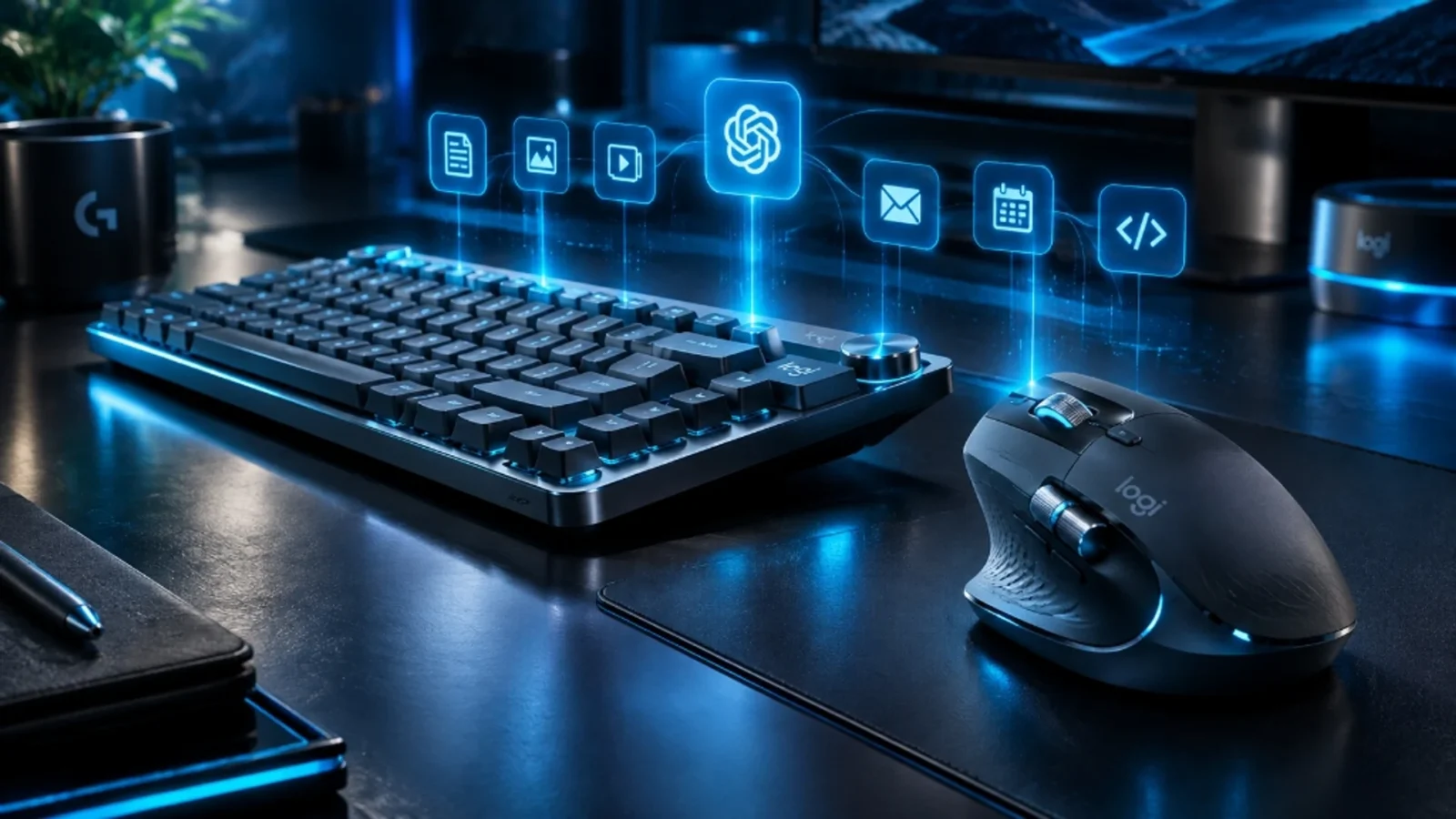
Logitech rolled out the most comprehensive update in years to its revered flagship Master Series on Tuesday, September 22, 2026, unveiling the MX Master 4S wireless mouse and the low-profile MX Mechanical 2 keyboard. The updated productivity duo introduces deep integration with the redesigned Logi Options+ AI Hub, incorporating programmable haptic thumb dials and dedicated prompt execution switches designed for local agentic workflows.
MX Master 4S: 16,000 DPI Darkfield tracking and tactile haptic scrolling
Retaining the sculpted ergonomic chassis praised by designers and software engineers, the MX Master 4S upgrades its Darkfield optical sensor to a pinpoint 16,000 DPI ceiling, enabling sub-pixel tracking across transparent glass conference tables and irregular desks. The primary microswitches feature next-gen Quiet Click damping, reducing auditory click noise by 95% while retaining crisp physical actuation tactile travel.
The machined aluminum thumb wheel now pairs with miniature piezoelectric haptic drivers. When scrolling through timelines in Adobe Premiere, 3D CAD layers in Blender, or source code in modern IDEs, the mouse produces dynamic tactile notches simulating mechanical detents customized by software application.
MX Mechanical 2: Factory-lubricated switches and the Smart AI Prompt Key
On the keyboard side, the MX Mechanical 2 elevates the low-profile mechanical typing experience through factory-lubed Kailh Choc V3 switches offered in Linear (Red), Tactile Quiet (Brown), and Clicky (Blue) configurations. Durable dual-shot PBT keycaps feature an ergonomic concave scoop and an oleophobic matte finish resistant to finger shine over years of heavy typing.
The most distinctive productivity addition is the dedicated Smart AI Prompt Key flanking the right Control modifier. Actuating this tactile switch summons a lightweight desktop overlay capable of summarizing highlight text, drafting context-aware email replies, or executing local terminal agent pipelines via Ollama or Claude Code with zero perceived latency.
Official retail options and recommended desktop bundles
Both peripherals deliver multi-device pairing across up to three host machines using the encrypted Logi Bolt USB receiver and Bluetooth Low Energy. Furthermore, Logitech Flow technology allows seamless cross-computer file sharing and clipboard synchronization across Windows, macOS, and Linux workstations with zero latency penalty.
Crafted with sustainable circularity in mind, the MX Master 4S and MX Mechanical 2 incorporate up to 48% certified post-consumer recycled plastic and low-carbon aluminum top plates, packaged entirely in FSC-certified paper pulp.
Logitech MX Master 4S Wireless Mouse
Affiliate content

Logitech MX Mechanical Keyboard
Affiliate contentFrequently asked questions
Can the dedicated AI button trigger offline local language models?
Yes. The Logi Options+ software allows users to map the AI trigger to local engines like Ollama or LM Studio, generating responses completely offline without an internet connection.
What is the real-world battery endurance of the MX Mechanical 2?
The keyboard lasts up to 15 days on a single charge with smart backlighting active, or up to 10 months with backlighting disabled, recharging over standard USB-C.
Is the included Logi Bolt receiver backward-compatible with older hardware?
Yes. A single Logi Bolt USB dongle can securely connect up to six compatible Logitech mice and keyboards simultaneously on the same workstation.
Related
Anker Solix and DJI Debut 300W GaN Portable Solar Power Station for Drones
In an unprecedented collaboration designed for filmmakers and remote field crews, Anker Solix and DJI launched the C500 Creator Edition on September…
Snap Specs: The $2,195 AR Glasses Arriving One Week Before Meta Connect
Evan Spiegel unveiled consumer Specs: augmented-reality glasses that work without a phone, with displays in both lenses, an AI assistant that sees…
Google Home Opens the Smart Home to ChatGPT, Claude and Other AI Agents
Since September 16, agents such as ChatGPT, Claude and Antigravity can control Nest and Matter devices through Google Home's new MCP server.…